Why not a green screen?
A green background has to be keyed out, which leaves fringes around anti-aliased text and thin lines and fails with green chart colours. An alpha channel needs no keying.
Free · runs in your browser · no sign-up
A chart, counter or race with nothing behind it, so it sits straight on top of your footage. Better than a green screen: no keying, no fringes, clean anti-aliased edges.
To put an animated graph over your own footage, you need a video with a transparent background, not a green one. Open the Counter overlay template below (a counting world population with nothing behind it), or turn on Transparent background for any chart, then export Transparent video (WebM).
The WebM is encoded with VP9 and a real alpha channel, so edges and soft shadows blend into whatever is underneath without the halo a chroma key leaves. For a still overlay, Image (PNG) keeps transparency too. MP4 and GIF can’t carry partial transparency, so they use the theme’s background.
Select Open the Counter overlay template, or open any chart and turn on Transparent background under Style → More options.
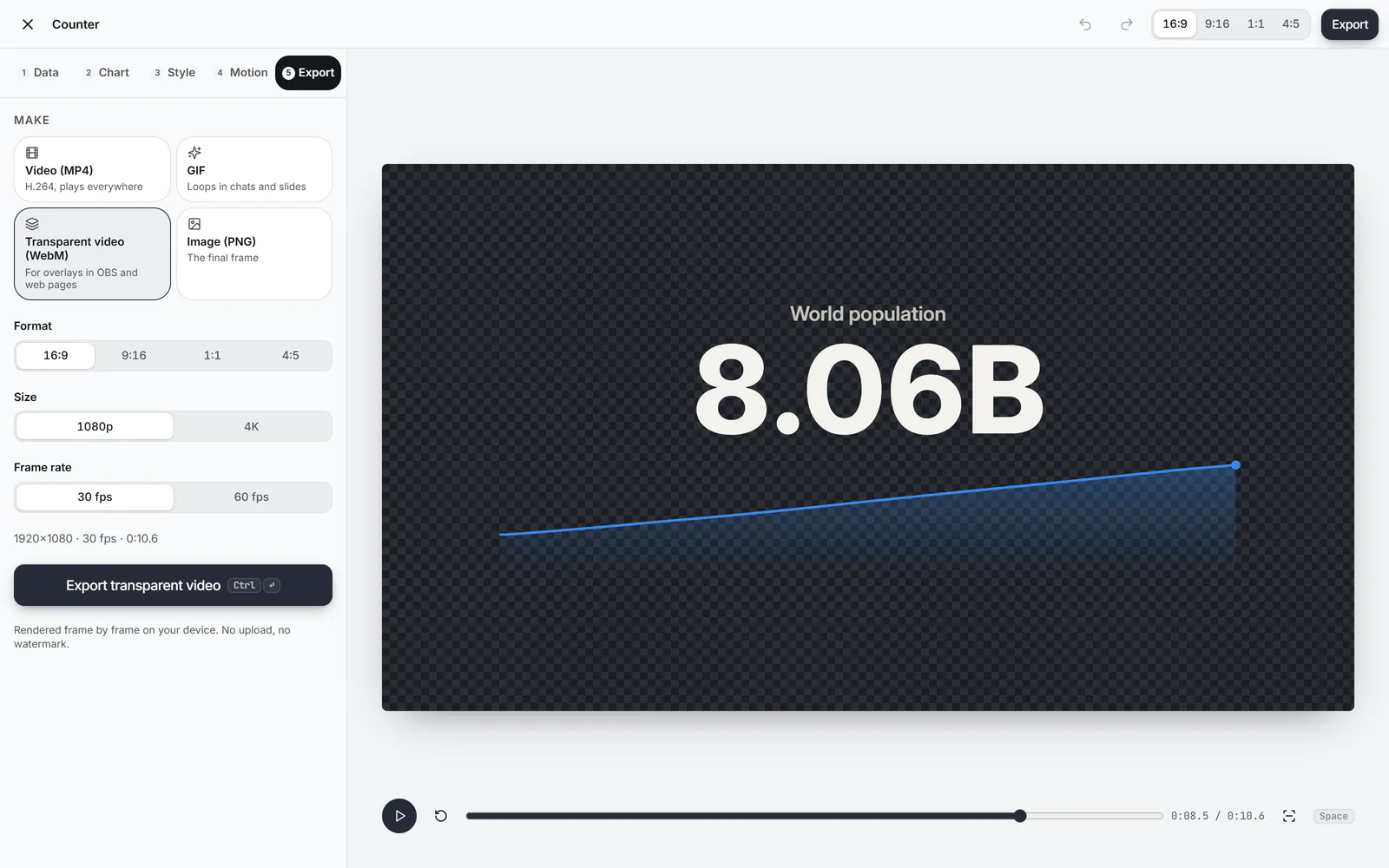
Over dark footage choose Dark or Neon (light text); over bright footage choose Light or Editorial. The preview shows a checkerboard where the video will be transparent.
In Export, choose Transparent video (WebM), the Size and Frame rate, and press Export transparent video.
 (enlarge image)
The checkerboard marks what will be transparent.
Add the WebM as an overlay in OBS Studio, a web page, or an editor that reads WebM transparency, above your footage.
VP9 WebM with alpha keeps its transparency in Chrome, Edge and Firefox (so in web pages and HTML5 players), in OBS Studio as a media source, and in editors built on FFmpeg such as Shotcut and Kdenlive. Adobe Premiere Pro, After Effects, Final Cut Pro and DaVinci Resolve don’t read WebM transparency reliably, and Safari and QuickTime Player show the file on black. Test a short export in your own tool first.
If your editor needs ProRes 4444 or a PNG sequence, chart.video can’t make those yet. Alternatives that always work: a PNG of the final frame as a still overlay, or an MP4 whose theme background matches your scene.
A green background has to be keyed out, which leaves fringes around anti-aliased text and thin lines and fails with green chart colours. An alpha channel needs no keying.
No. H.264 MP4 has no alpha channel. Use Transparent video (WebM) where your tool reads it, or a PNG for a still.
No. GIFs can only make pixels fully clear or fully solid, which makes chart edges jagged, so GIFs use the theme background.
If you add music in the Motion step, it’s encoded as Opus audio in the WebM, where the browser can encode Opus.
Not reliably: neither reads WebM transparency natively, so the background may come in black. OBS Studio, web pages and FFmpeg-based editors such as Shotcut and Kdenlive keep it.
Yes, where the browser’s VP9 encoder supports that size. If it doesn’t, the studio says so; 1080p always works in Chrome and Edge.